Save the Data Before Repairing the Device

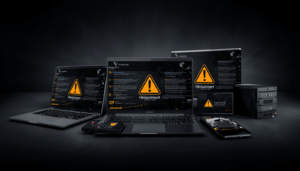
When a computer, hard drive, NAS, server, smartphone, or any digital device fails, most people immediately think about repairing the device. While this is understandable, it can also be a costly mistake.
The first priority should not be repairing the device.
The first priority should be protecting the data.
Device Failure Does Not Always Mean Data Loss
A device can fail for many reasons:
- Hard drive failure
- Operating system corruption
- Power supply failure
- Motherboard failure
- Water damage
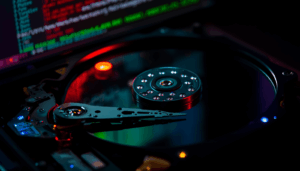
- Physical damage
- Firmware issues
- Accidental deletion or formatting
In many cases, the data may still exist even though the device is no longer accessible.
The danger begins when repair attempts overwrite, damage, or destroy the remaining data.
Step 1: Check If a Current Backup Exists
Before doing anything else, determine whether a recent backup is available.
Ask these questions:
- Is there a backup?
- How recent is the backup?
- Does it contain all important files?
- Has the backup been tested and verified?
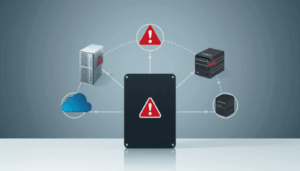
If a complete and current backup exists, repairing or replacing the device becomes much less risky because the data can be restored from the backup.
Unfortunately, many organizations discover during a crisis that their backup is incomplete, outdated, or non-functional.
Step 2: If No Backup Exists, Prioritize Data Recovery
If there is no backup or if the backup is outdated, the focus should immediately shift to securing the data.
Before sending the device for repair:
- Determine whether the storage device still contains recoverable data.
- Avoid unnecessary power cycles.
- Stop using the device.
- Consult a qualified data recovery professional if critical data is involved.
Remember: repairing the device and recovering the data are often two different objectives.
A technician’s job is typically to make the device operational again. A data recovery specialist’s job is to preserve and recover the data.
These goals can sometimes conflict.
Why Repairs Can Cause Permanent Data Loss
Many repair procedures involve actions that may destroy data, including:
- Reinstalling the operating system
- Reformatting storage devices
- Replacing storage components
- Resetting firmware
- Factory resets
- Initializing RAID systems
- Rebuilding storage arrays
A technician may successfully repair the device, only to discover that the original data has been erased in the process.
At that point, recovery may become significantly more difficult—or impossible.
Common Real-World Scenario
A business owner’s laptop suddenly fails to boot.
The owner sends the laptop to a repair shop.
The technician diagnoses a corrupted operating system and performs a fresh installation of the operating system.
The laptop works again.
However, the customer’s documents, accounting files, project files, emails, and years of business records are gone.
The device was repaired successfully.
The data are gone permanently.
The Cost of Getting the Priorities Wrong
For many people and businesses, the value of the data far exceeds the value of the hardware.
A failed laptop can be replaced.
A failed server can be replaced.
A damaged hard drive can be replaced.
But irreplaceable business records, family photos, legal documents, financial information, research data, and customer information may be lost forever.
The Correct Response to Device Failure
When a device fails:
- Stop using the device if possible.
- Determine whether a recent backup exists.
- Verify that the backup is complete and usable.
- If no backup exists, prioritize data recovery.
- Preserve the storage media before any repair attempts.
- Proceed with repairs only after the data is secured.
Final Thoughts
When a device fails, it is natural to focus on getting it working again. However, the real asset is usually not the hardware—it is the data stored inside it.
Before authorizing repairs, ask a simple question:
“Do I have a complete and current backup?”
If the answer is yes, repairs can proceed with confidence.
If the answer is no, secure the data first.
Because a repaired device can be replaced.
Lost data often cannot.
Be Aware. Be Prepared. Protect the data before repairing the device.